Managing ad spend on newer platforms requires precise tracking. As OpenAI expands its advertising capabilities, merchants need a reliable way to measure performance on ChatGPT Ads without wrestling with complex manual pixel installations or losing data to browser restrictions.
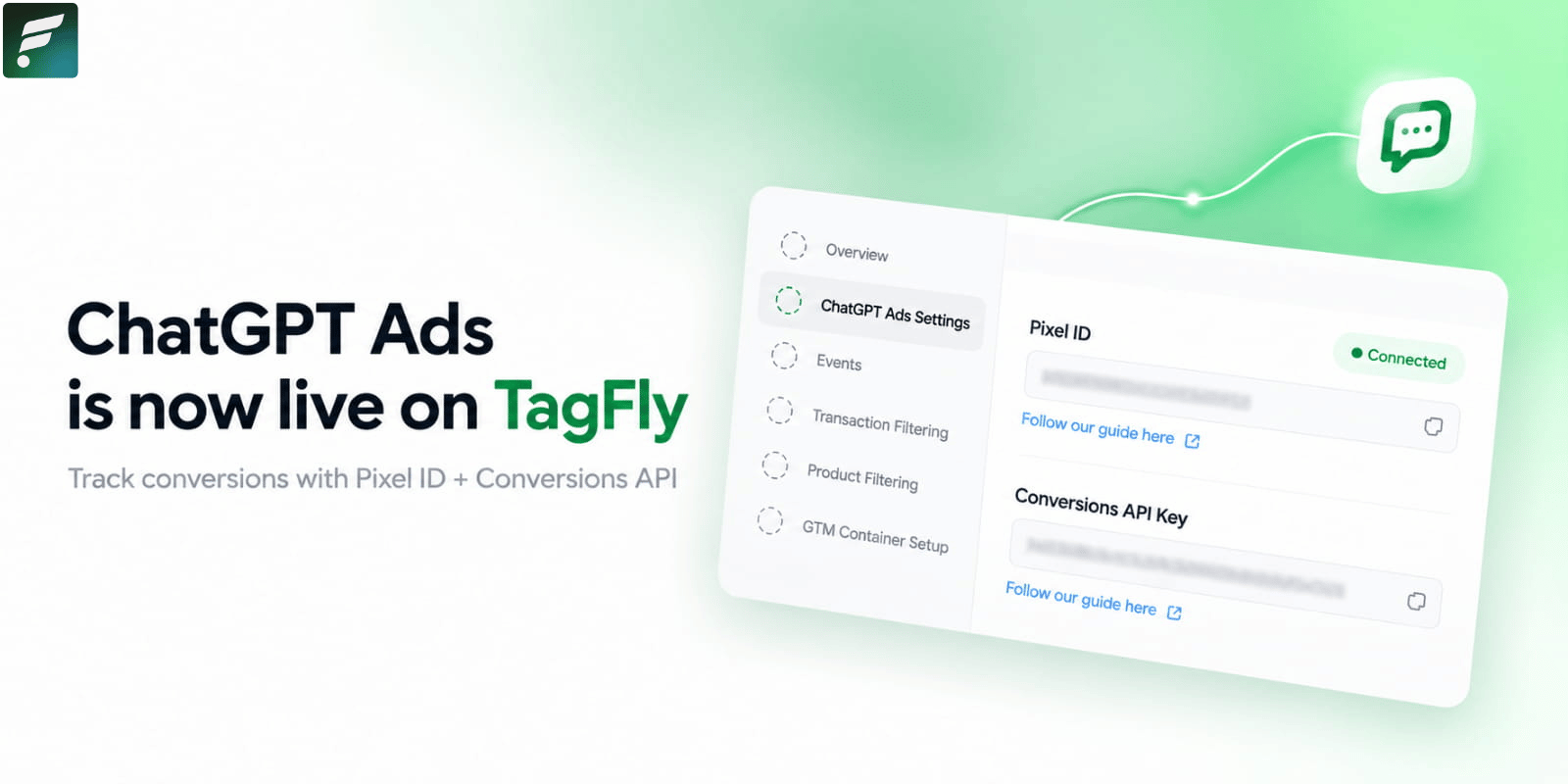
To solve this, TagFly has officially integrated ChatGPT Ads as our 11th supported tracking destination. You can now seamlessly connect your Shopify store to OpenAI’s ad network using both client-side and server-side tracking, ensuring your conversion data is accurate and actionable.
What’s New: ChatGPT Ads Tracking Integration
This release allows TagFly to securely route your storefront events directly into your ChatGPT Ads Manager using two distinct connection methods.
- Pixel ID: This identifies the specific Data Source within ChatGPT Ads that acts as the container for your conversion events. TagFly utilizes this ID to facilitate both standard browser-based (client-side) pixel tracking and server-side tracking.
- Conversions API Key: This key is the critical component that authorizes TagFly to transmit your event data securely from the server side, bypassing ad blockers and browser privacy constraints.
Workflow Improvement: Store managers no longer need to write custom code or rely on generic Google Tag Manager templates to send data to OpenAI. You can establish the connection directly within the TagFly interface, test it instantly, and configure product and transaction filters just like you do for Facebook or TikTok ads.
Why This Matters for Your Shopify Store
Accurate event tracking is the foundation of profitable ad campaigns, especially on emerging platforms like ChatGPT.
- Future-Proof Data Accuracy: By supporting the Conversions API alongside the standard Pixel ID, you ensure that vital conversion events are captured even when browser-level tracking is blocked. This gives the ChatGPT ad algorithm the complete picture it needs to optimize your delivery.
- Centralized Tracking Management: You can now manage your OpenAI tracking rules alongside your Meta, Google, and TikTok pixels. Apply your existing Transaction Filtering and Product Filtering rules to ChatGPT Ads without duplicating effort, keeping your data clean and consistent across all channels.
How to Get Started
Setting up the ChatGPT Ads connection takes just a few minutes within the TagFly configuration dashboard. You will need to locate your Pixel ID and generate a Conversions API Key within your ChatGPT Ads Manager before starting.
- Add the Destination: In TagFly, navigate to Tracking configuration, click “+ Add destination,” and select ChatGPT Ads from the list.
- Connect Your Credentials: Enter your required Pixel ID and Conversions API Key. Click “Test connection.” Once the status shows “Connected,” proceed to the next step.
- Select Tracked Events: Choose the specific storefront events (like Add to Cart, Initiate Checkout, or Purchase) you want TagFly to send to ChatGPT Ads.
- Finalize Configuration: Complete the standard setup steps, including Transaction Filtering, Product Filtering, and GTM Container Setup. Click Save to activate the destination.
- Create Conversion Events in ChatGPT: Crucial Step: Conversions for the events you selected in Step 3 will only be recorded in the ChatGPT Ads Manager after you manually create the corresponding Conversion Events within the OpenAI platform.
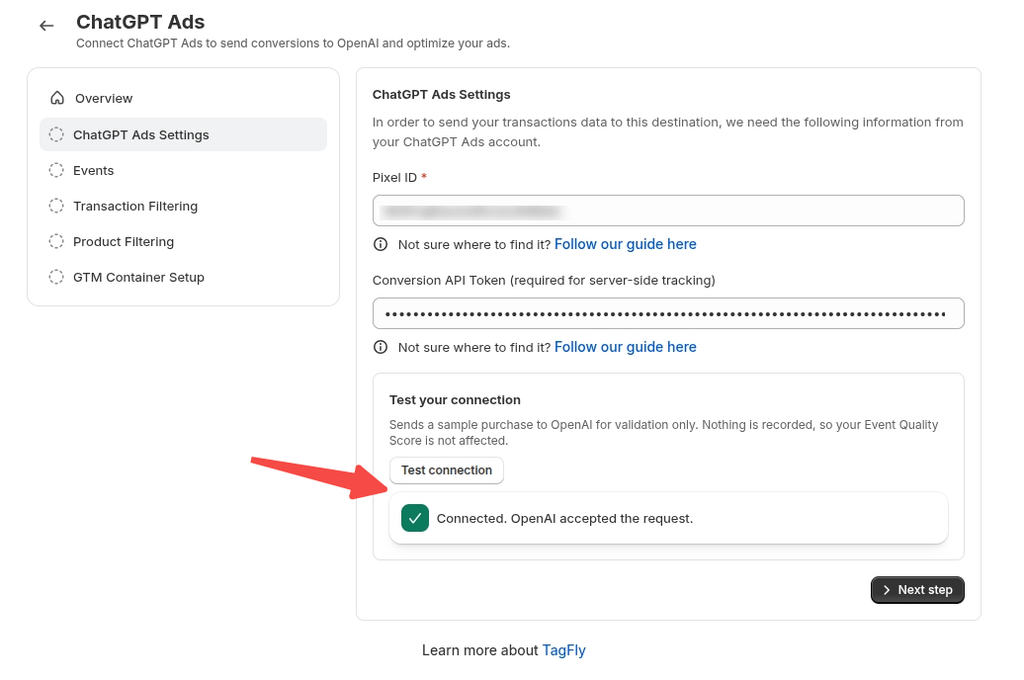
For complete details on locating your Pixel ID and creating Data Sources, refer to the full documentation here.
|
● Now Live in TagFly Track ChatGPT ad conversions with Pixel & CAPI Connect your ChatGPT Ads Pixel and server-side Conversions API in minutes to eliminate attribution blind spots and optimize your ROAS. Set Up ChatGPT Tracking in TagFly → 7-day free trial · No credit card required · Cancel anytime |