Facebook tracking has become harder to manage as browser limits, ad blockers, and privacy updates reduce what the Pixel can capture on its own. Therefore, more marketers now turn to Google Tag Manager Facebook Conversion API setups to send events more reliably and protect key conversion data.
| What you’ll learn in this article: ● What Google Tag Manager Facebook Conversion API means ● How GTM CAPI works in Facebook tracking ● Basic steps to set up GTM CAPI for FacebookCommon GTM CAPI setup problems |
What Does Google Tag Manager Meta Conversions API (formerly Facebook Conversions API) Mean?
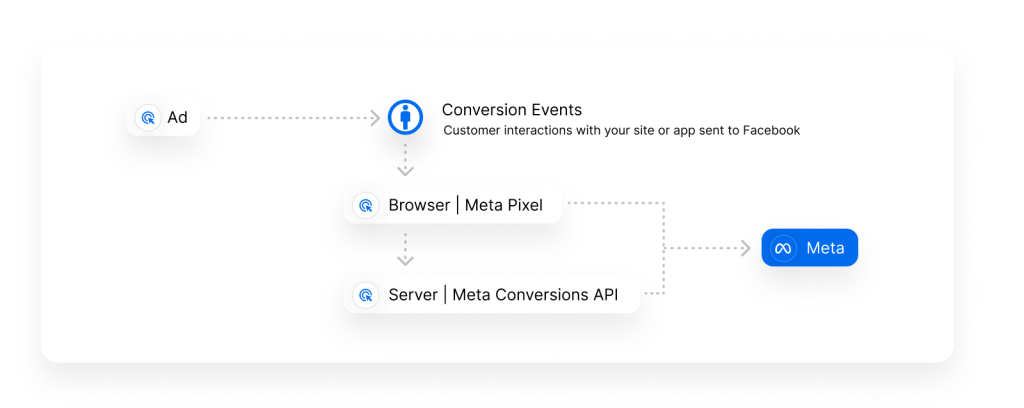
Google Tag Manager Facebook Conversion API is a tracking setup that sends website event data to Meta through both browser and server. In this setup, Google Tag Manager handles the event logic, while Meta Conversions API helps deliver those events from the server side.
Meta Pixel is now part of a Meta Dataset. Instead of managing separate identifiers like Pixel ID, Meta now uses a unified Meta Dataset ID to organize multiple tracking sources and event data under one structure.
However, browser tracking does not always capture data accurately. Privacy updates, ad blockers, and cookie limits often disrupt Pixel signals. Therefore, many advertisers use this setup to protect key conversion data and keep reporting more consistent.
-> Learn More: How to Use Facebook Pixel and Google Tag Manager for Ad Tracking
Why More Advertisers Are Using GTM CAPI
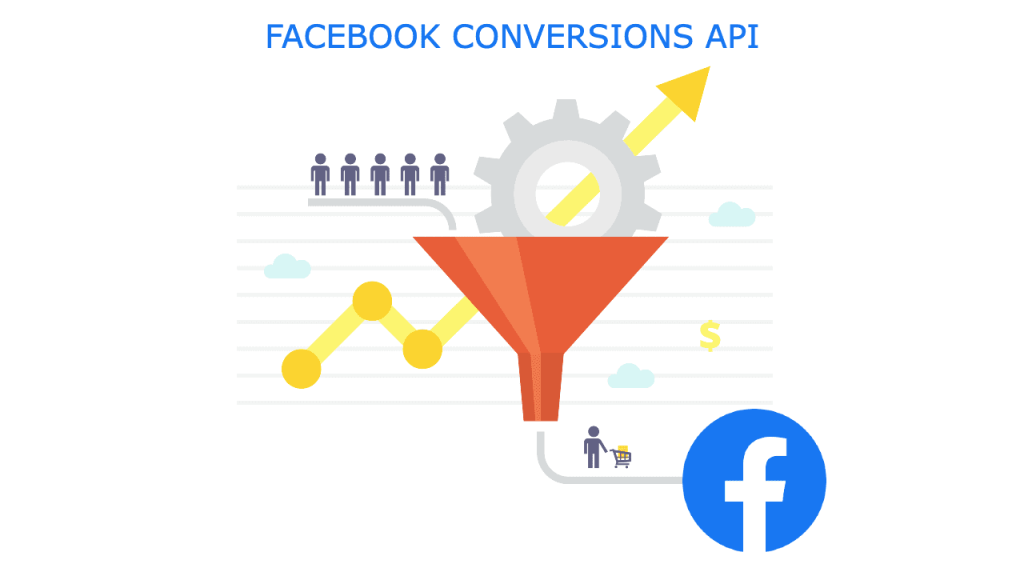
More advertisers now use GTM CAPI because browser-based tracking no longer captures data as cleanly as it once did. Privacy updates, cookie restrictions, and ad blockers have changed how platforms collect conversion signals. As a result, brands need a stronger setup to protect tracking accuracy and keep campaign data from slipping away.
- Advertisers reduce data loss significantly when server-side tracking (via GTM + CAPI) supports browser events. Pixel-only setups often miss 30-50% (or more) of conversions due to privacy restrictions and ad blockers; CAPI typically recovers 20-40% of lost events.
- Teams improve event quality and send stronger signals to Meta’s system. Combining Pixel + CAPI often boosts Event Match Quality (EMQ) scores by 15-30 points, leading to better user matching and more reliable data for Meta’s algorithm.
- Marketers maintain more consistent attribution across different user journeys
- Campaigns receive better optimization support from cleaner conversion data. Advertisers commonly see 10-30% more attributed conversions, lower CPA (up to 20-33% reduction in some cases), and higher ROAS (often 19-40%+ improvement depending on the setup).
- Businesses gain more control over tracking logic through Google Tag Manager
How GTM CAPI Works in a Facebook Tracking Setup
GTM CAPI sends website event data to Meta through a structured tracking flow. First, a user completes an action on the site, such as viewing a product or making a purchase. Then, Google Tag Manager captures that event and passes the data into the tracking system.
However, the process does not rely on the browser alone. GTM CAPI also delivers events through the server, which reduces disruption from ad blockers and privacy limits. As a result, advertisers can send more reliable signals, especially when they combine CAPI with the Meta Pixel for stronger tracking.
What You Need Before Setting Up Google Tag Manager Facebook Conversion API
Before teams set up Google Tag Manager Facebook Conversion API, they need the basic tracking structure in place. First, they need the right platform access. Next, they need a server-side environment that can send event data to Meta. Without those elements, the setup can become unstable and harder to test.
- Access to Google Tag Manager and the web container
- A Meta Pixel already created in Events Manager
- Access to Meta Business Manager and Events Manager
- A server-side tagging environment for event delivery
- Clearly defined website actions such as purchase, lead, or add to cart
- A consistent event naming plan to keep browser and server events aligned
- A testing method to confirm that Meta receives events correctly
Because GTM Facebook CAPI setups involve both browser-side and server-side tracking, configuration issues are fairly common. Even small inconsistencies in event IDs, triggers, or matching parameters can affect attribution accuracy and campaign performance.
Common Problems in Google Tag Manager Facebook Conversion API Setups
Google Tag Manager Facebook Conversion API can strengthen tracking, yet many setups still run into the same recurring issues. Most problems begin when Meta receives event data that is incomplete, duplicated, or poorly aligned.

Duplicate Events
Some setups send the same event through both the browser and the server without proper coordination. As a result, Meta may count duplicate actions and distort performance reporting.
Missing Event ID
Deduplication depends on a shared event_id between Pixel and CAPI. However, many teams leave that field out or pass it incorrectly. Therefore, Meta cannot match the two event sources as one action.
Weak Matching Parameters
Meta relies on matching parameters such as _fbp, _fbc, email, phone number, and external_id to connect server-side events with real users more accurately. If those parameters are missing or low quality, event match quality can drop and weaken optimization performance.
For Shopify setups specifically, _fbp and _fbc often need to be passed manually from the GTM web container to the server container. Because Shopify Custom Web Pixels run inside a sandboxed environment, the browser does not always send those values automatically during server-side tracking.
Inconsistent Event Naming
Teams sometimes use different event names across browser and server tracking. Consequently, the setup becomes harder to manage, and reporting can turn messy fast.
Incorrect Trigger Logic
A tracking setup only works well when triggers fire at the right moment. If trigger rules are too broad or too narrow, the system may send the wrong events or miss key actions entirely.
Limited Testing Before Launch
Many issues only become visible after campaigns start running, which can lead to wasted spend and inaccurate reporting. For this reason, teams should test event flow, deduplication, and parameter quality before going live.
One key metric to monitor during testing is Event Match Quality (EMQ), which reflects how well Meta can match incoming events to user profiles. A higher EMQ usually indicates that parameters such as email, phone number, _fbp, and _fbc are being passed correctly, resulting in stronger attribution and better optimization performance.
How to Set Up Meta One-Click Conversions API
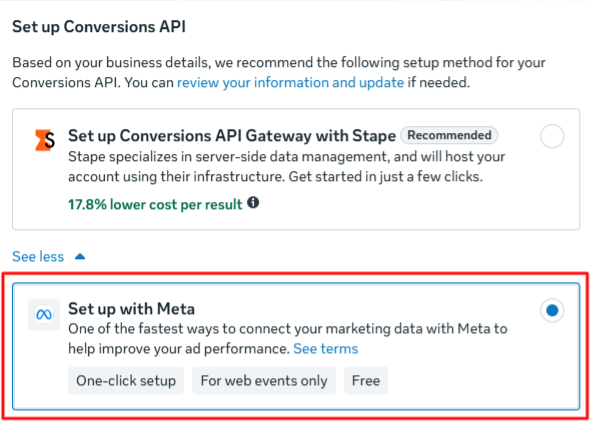
Meta recently introduced a simpler way to enable Conversions API without building a custom server-side setup.
Instead of configuring servers, partner tools, or Google Tag Manager containers manually, merchants can now activate a Meta-managed Conversions API connection directly inside Events Manager. This setup is designed for businesses that want faster implementation with minimal technical work.
Step 1: Open Meta Events Manager
First, go to Meta Events Manager and select the Pixel connected to your Shopify store.
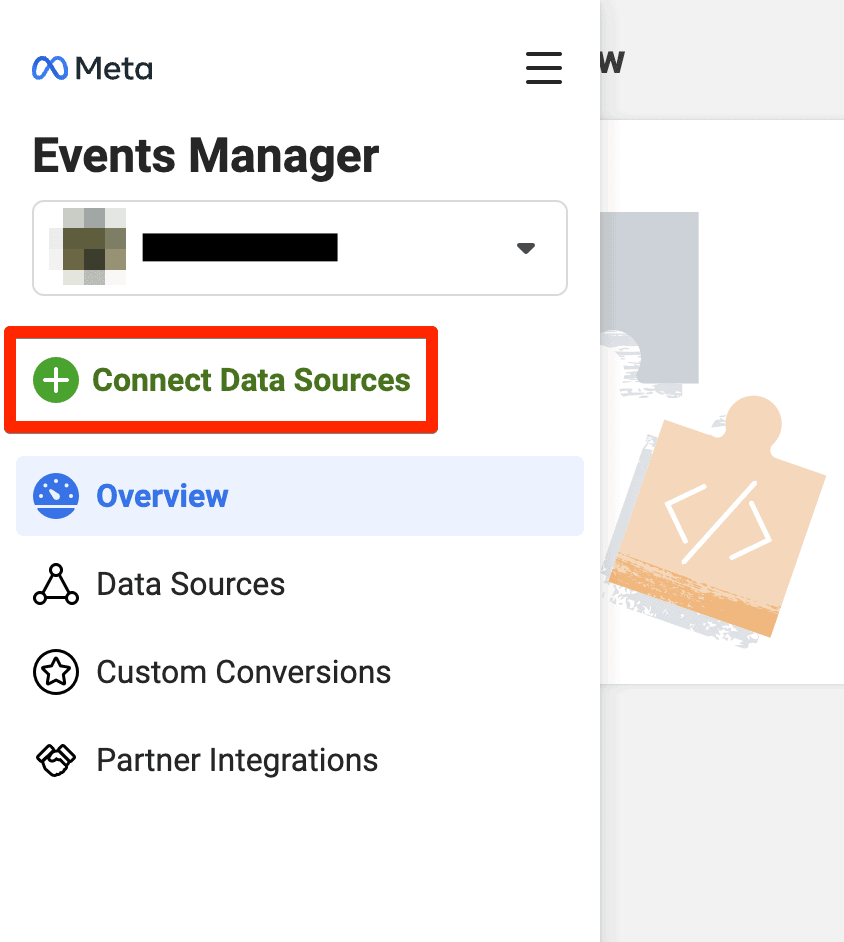
Meta may display a recommendation to enable a “Meta-enabled Conversions API” setup, especially for stores with low event coverage or no active server-side tracking.
Step 2: Enable the One-Click CAPI Setup
Next, follow the guided setup flow inside Events Manager.
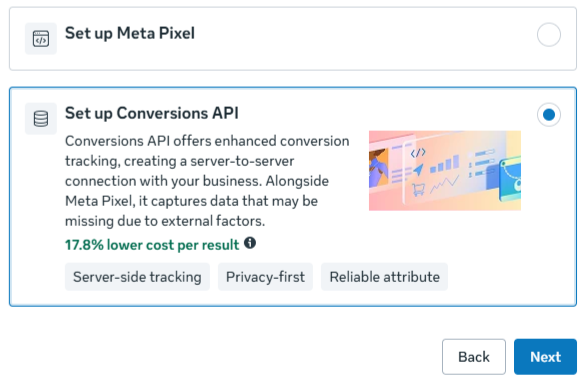
Once enabled, Meta automatically creates a server-side connection that works alongside your existing Meta Pixel. According to Meta, this setup does not require:
- Custom coding
- Server configuration
- Third-party hosting
- Ongoing maintenance
Meta also handles event deduplication automatically between browser and server events.
Step 3: Verify Events in Test Events
After activation, test your setup inside Meta Events Manager.
Check whether important eCommerce events such as:
- PageView
- AddToCart
- InitiateCheckout
- Purchase
are received correctly through both browser and server channels.
You can also monitor Event Match Quality (EMQ) and diagnostics reports to identify missing parameters or tracking gaps.
Common Events to Send Through GTM CAPI
Most brands start GTM CAPI with events that directly reflect user intent and business value. First, teams focus on actions that show product interest or buying progress. Then, they add conversion events that help Meta connect ad spend with real outcomes more clearly.
| Event | What it tracks | Why it matters |
|---|---|---|
| PageView | A user lands on a page | It gives Meta a basic signal that a visit happened |
| ViewContent | A user opens a product or key content page | It shows interest in a specific item or offer |
| AddToCart | A user adds a product to the cart | It signals stronger buying intent |
| InitiateCheckout | A user enters the checkout process | It helps Meta identify shoppers closer to conversion |
| Purchase | A completed order | It gives Meta the clearest sales signal |
| Lead | A form submission or inquiry | It supports lead generation tracking and optimization |
| CompleteRegistration | A user finishes sign-up or account creation | It helps track registrations and new user growth |
Simplify GTM CAPI Setup with TagFly
Meta’s one-click Conversions API setup makes server-side tracking easier to activate, but it mainly focuses on basic event delivery. As Shopify tracking becomes more complex, some merchants still need deeper control over data quality, attribution, and event handling.
For example, growing stores often require:
- More advanced custom parameters
- Higher Event Match Quality (EMQ)
- Shopify-specific event logic
- Consent mode support
- Better event deduplication and validation
Setting up GTM CAPI can quickly become complex, especially when teams need to handle event mapping, deduplication, and server-side logic at the same time. Therefore, many marketers look for tools that reduce manual setup and speed up implementation.
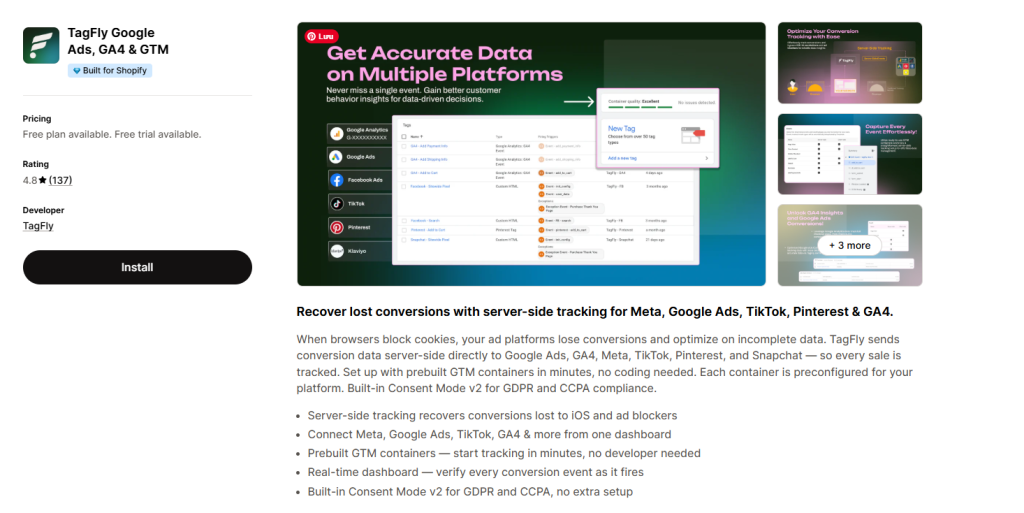
Instead of building everything from scratch, some tracking tools can support event configuration, improve data consistency, and reduce setup errors. For example, solutions like TagFly App help streamline tracking workflows, especially for teams that want faster deployment without deep technical overhead.
Unlike manual GTM server-side setups, TagFly reduces the need to manage complex tagging logic, parameter mapping, and event deduplication manually.
- Faster event setup without heavy manual tagging
- Better support for both Meta Pixel and Conversion API tracking
- Stronger event mapping across browser and server layers
- Deduplication support to reduce duplicate event reporting
- More consistent tracking data for attribution and optimization
- Easier testing and tracking management inside one workflow
Google Tag Manager Facebook Conversion API vs Pixel-Only Tracking
Google Tag Manager Facebook Conversion API gives advertisers a broader tracking setup than Pixel-only tracking. While the Meta Pixel still plays an important role, many teams now add server-side event delivery to reduce signal loss and improve data consistency.
| Setup | How it works | Main strength | Main limitation |
|---|---|---|---|
| Pixel-only tracking | Meta collects events through the browser | Easier to set up and maintain | Browser limits can block or weaken event data |
| Google Tag Manager Facebook Conversion API | Events reach Meta through both browser and server | Stronger data delivery and better tracking resilience | Setup requires more technical planning and testing |
In short, Pixel-only tracking suits simpler setups with lighter tracking needs. However, Google Tag Manager Facebook Conversion API gives brands a stronger option when they need more stable event data for reporting and optimization.
FAQs about GTM CAPI
Is Google Tag Manager required for Facebook Conversion API?
No, Google Tag Manager is not required for Facebook Conversion API. However, many teams use it because it helps manage tags, triggers, and event logic more efficiently.
How do you test whether GTM CAPI is working correctly?
Teams usually test GTM CAPI through Meta Events Manager and server-side debugging tools. A working setup should send events consistently, pass key parameters correctly, and avoid duplicate reporting.
Can Facebook Pixel and Conversion API work together?
Yes, Facebook Pixel and Conversion API can work together. However, the setup needs deduplication so Meta does not count the same event twice. Teams usually handle this by sending the same event_id across both sources.
Does Google Tag Manager Facebook Conversion API improve attribution?
It can improve data resilience and signal quality, which may support better attribution. However, results still depend on how well the setup is implemented and tested.
Final thoughts
Google Tag Manager Facebook Conversion API helps advertisers build a more reliable tracking setup by combining browser and server-side event delivery. As privacy restrictions and browser limitations continue to affect traditional Pixel tracking, many brands now use GTM CAPI to improve attribution, reduce data loss, and send stronger conversion signals to Meta.