Server-side tracking isn’t just a technical tweak; it’s a strategic shift for businesses that care about clean data, faster websites, and future-proof analytics. Based on hands-on experience across different setups, this article breaks down the benefits of server-side tracking in practice and helps you decide when it’s the right move for your business.
| What you’ll learn in this article: ● Benefits of Server-Side Tracking ● When Should You Consider Server-Side Tracking? |
Benefits of Server-Side Tracking
I’ve worked on multiple tracking setups across different platforms, and server-side tracking consistently stands out. These are the key benefits I’ve learned to prioritize through hands-on implementation.
1. Increased Data Accuracy
One of the biggest frustrations with modern web analytics is the amount of missing data, and it’s only getting worse. Between ad blockers, browser-level restrictions (like ITP and ETP), and users rejecting cookie consent, client-side tracking is becoming less and less reliable. That means you’re flying blind when it comes to attribution, funnel drop-offs, and campaign ROAS.
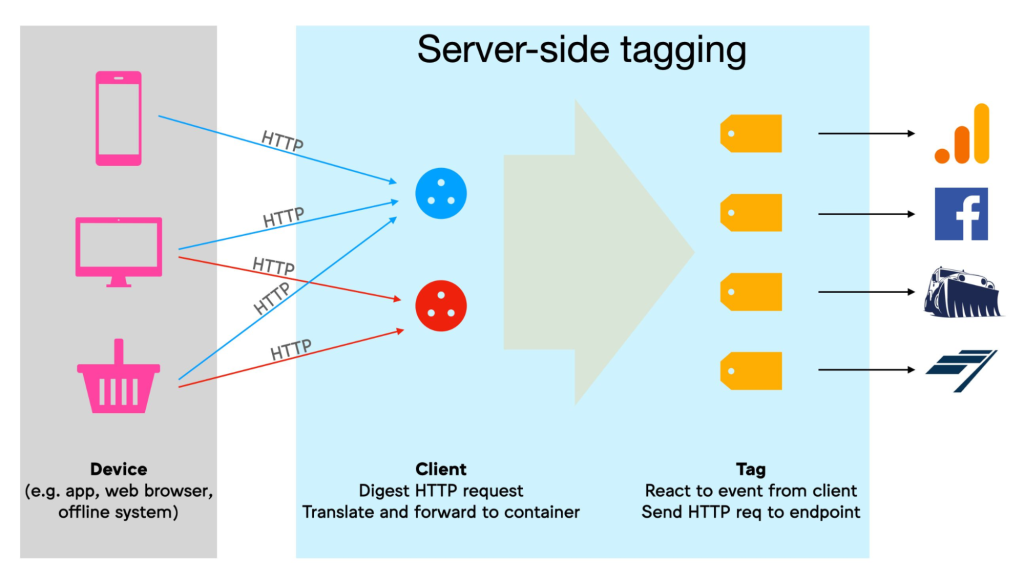
Server-side tracking solves this at the root: instead of relying on the browser to send data, the server collects and pushes events, often based on backend logic (e.g., order confirmations, account creations) that users can’t block. For example, if someone completes a checkout, the event is guaranteed to be tracked because your backend knows it happened, regardless of whether the client pixel is loaded or not.
This setup drastically reduces data loss. You won’t be stuck with 20-30% of conversions going unreported just because someone had a tracking blocker installed or left the page too quickly.

2. Page Speed Improvements Without Compromising Insights
When you look at the performance of most eCommerce websites or landing pages, third-party scripts are often the main culprits slowing things down. Between Meta Pixel, Google Analytics, Hotjar, LinkedIn Insight Tag, and the rest, your browser ends up juggling dozens of calls before the user even sees the full page.
Server-side tracking offloads most of that load. Google notes that this reduces the client processing burden, resulting in better site performance, especially on mobile. Instead of injecting all those scripts into the browser, you send a single, lightweight request to your tracking endpoint, and your server handles the logic from there. No flashing tags, no race conditions between competing pixels, and a much faster perceived load time.
This isn’t just a dev issue. Faster pages translate into better SEO, higher conversion rates, and lower bounce rates, especially on mobile. You’re essentially optimizing both performance and tracking accuracy in one move.
3. Full Control Over Shared Data
With client-side tracking, scripts often send data directly to platforms without much visibility. You don’t really know what’s leaving your site.
Server-side tracking flips that. Your server becomes the gatekeeper; you control exactly what data is sent, to whom, and when. You can strip out PII, attach custom parameters, or block tracking entirely based on consent status.
It’s not just about compliance; it’s about having a clear, auditable data pipeline that aligns with your business rules.
4. More Reliable Conversion Events
Client-side pixels are fragile; they fail if the page loads slowly, if the user bounces fast, or if something blocks scripts. That leads to underreported conversions and broken attribution.
Server-side events trigger from your backend systems, like a completed payment or successful form submit, not from browser assumptions. That means events still get sent, even if the browser crashes.
Platforms like Meta Ads and Google Ads prioritize these events for better match rates and optimization.
5. Full Control Over What You Send to Platforms
Client-side tags often behave like black boxes: once embedded, they fire and transmit whatever the platform dictates, including data you might not intend to share. That’s risky, especially when dealing with sensitive information or operating in regulated markets.
With server-side tracking, your server acts as a middleware layer. It receives the raw event data, lets you validate or enrich it, and only then forwards it to platforms like Google Analytics, Meta, or TikTok. You can:
- Strip out or hash personal data (email, phone, IP)
- Attach server-specific values like internal order IDs
- Block data completely if consent hasn’t been granted
This centralized governance means you’re no longer guessing what data leaves your site. It’s especially useful when aligning tracking across multiple platforms; you can enforce consistent naming conventions, parameter formats, and funnel logic across all destinations from a single source of truth.

6. Reliable Conversion Tracking Even Without the Browser
Let’s say a user completes a purchase, but they’re on Safari with strict tracking prevention, or their browser crashes before your tag fires. With client-side tracking, that conversion is simply gone. That’s a serious problem if you’re measuring ROAS or feeding conversions back into Google Ads or Meta Ads for optimization.
Server-side tracking eliminates that fragility. Instead of waiting for the browser to report the event, you send it directly from your backend, triggered by what your system knows actually happened (e.g., payment completed, order status = success). This ensures conversions are logged even in cases where the browser never gets a chance to fire anything.
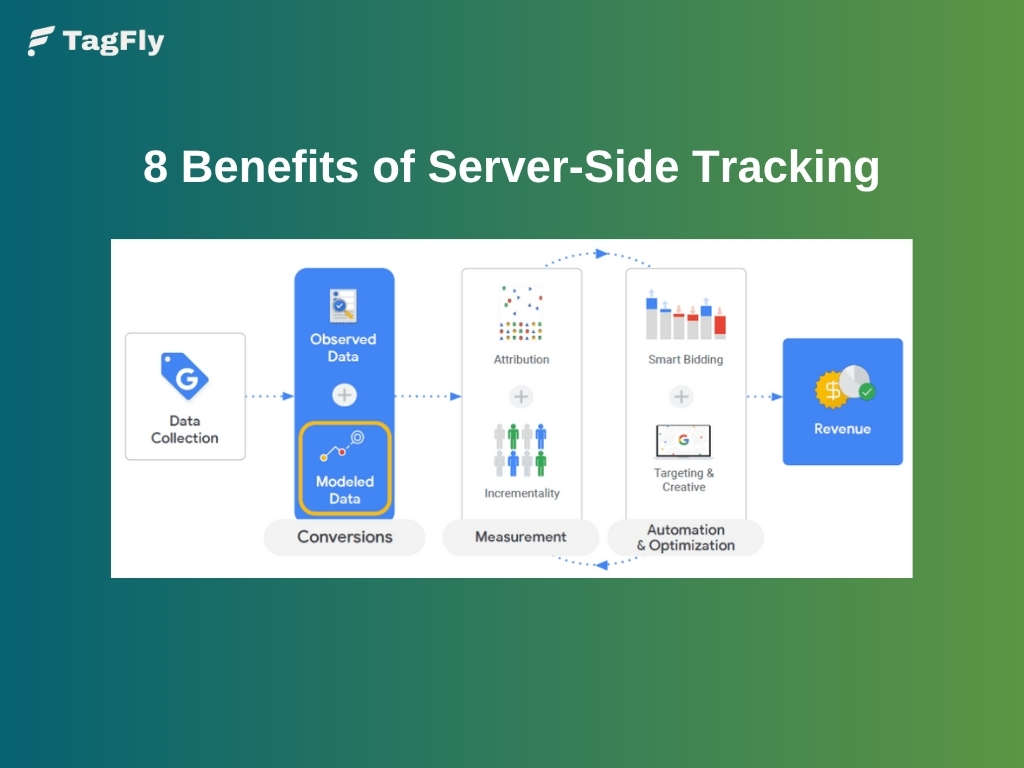
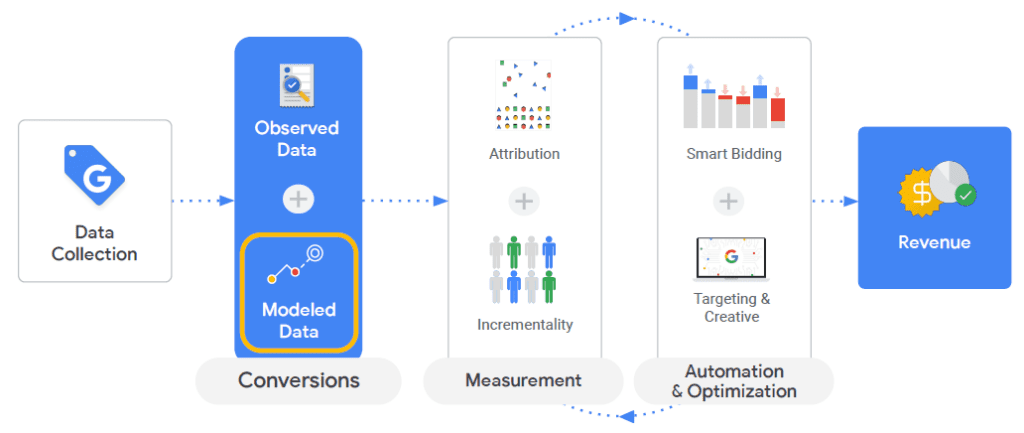
Platforms are rewarding this too. Meta’s Conversions API, Google’s Enhanced Conversions, and TikTok’s Events API all give higher confidence to server-side events, improving event matching, attribution, and even bid efficiency.
7. First-Party Cookies That Stay Alive Longer
One powerful but often overlooked benefit of server-side tracking is the ability to create cookies from your own subdomain. That makes them first-party, and browsers treat them very differently from third-party cookies; they’re not auto-deleted after a few days, and they’re less likely to be blocked outright.
This has big implications. With a properly configured server container (like Google Tag Manager server-side), you can set first-party cookies that last 30, 60, or even 90 days, far beyond the 1–7 day windows imposed by Safari or Firefox. That means more stable user IDs, better attribution for long purchase cycles, and fewer “lost users” when someone converts two weeks after their first visit.
If your business depends on retargeting, cohort analysis, or repeat purchases, this cookie persistence can make your data far more reliable and your marketing more effective.
8. A More Durable and Adaptable Tracking Framework
The landscape of digital tracking is changing fast, third-party cookies are vanishing, browsers are cracking down on client-side scripts, and governments are tightening data regulations. In that environment, relying purely on browser-based tracking is like building on sand.
Server-side tracking offers a sturdier foundation. It shifts the responsibility of event collection and distribution from the user’s browser, which you can’t control, to your own infrastructure, which you can. That gives you the flexibility to adapt when APIs change, when new privacy features roll out, or when a platform like Meta updates its conversion requirements.
More than just a tactical fix, this is a long-term strategy. With server-side tracking, you’re building a resilient, platform-agnostic data layer that can evolve as the ecosystem does, without being blindsided by browser updates or platform restrictions.
When Should You Consider Server-Side Tracking?
Server-side tracking isn’t for everyone, but in certain cases, it can be a game-changer. Here are the situations where making the switch makes the most impact.
Heavy Dependence on Paid Advertising
For businesses investing heavily in channels like Google Ads, Meta, or TikTok, tracking accuracy directly affects performance. Server-side tracking ensures conversions are logged even when browsers block scripts or users decline cookies.
This reliability strengthens attribution models, helping ad platforms optimize faster and spend budgets more efficiently. The result is clearer data, more stable ROAS, and better confidence in your marketing decisions.
High Standards for Data Privacy and Compliance
Industries handling sensitive information, such as finance, healthcare, or law, require strict data governance. With server-side tracking, all event data is processed on your own server before reaching any third party.
You can anonymize personal identifiers, apply consent logic, or completely block certain data flows. This control not only maintains legal compliance but also builds user trust by ensuring privacy-first tracking practices.
Focus on Website Speed and User Experience
When multiple tracking scripts slow your site, every second counts. Offloading tag logic to a server reduces browser load, improving both Core Web Vitals and visitor engagement.
A faster, cleaner frontend boosts SEO performance and conversion rates, especially on mobile. In this way, server-side tracking enhances user experience without sacrificing data accuracy.
Use TagFly to Implement Server-Side Tracking on Shopify
If you’re running a Shopify store and want to apply the benefits of server-side tracking without building everything from scratch, TagFly is a great solution to consider. It helps you connect your store to platforms like Meta Ads, Google Ads, and TikTok using server-side integrations, without bloating your theme or slowing down your pages.
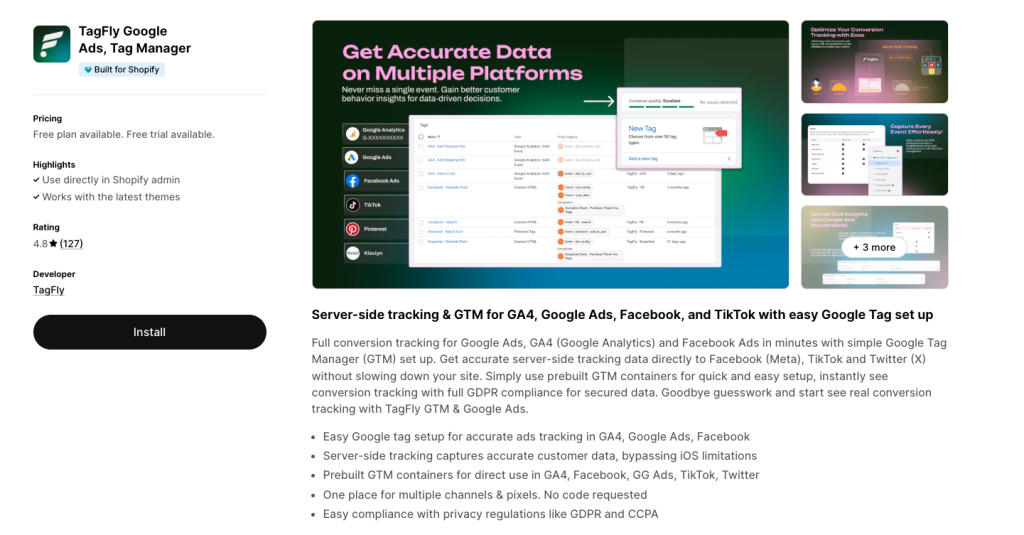
With TagFly, you can:
- Send events directly from the server for better accuracy
- Reduce reliance on client-side tags to keep your store fast
- Simplify setup for Meta CAPI, Google EC, TikTok Events
A lightweight way to bring server-side tracking into your Shopify workflow, even if you’re not using GTM or custom servers.
Conclusion
Server-side tracking isn’t just about better data; it’s about regaining clarity in a digital landscape that keeps getting more complex.
When done right, it helps you measure what actually matters, without relying on fragile browser scripts or battling constant tracking limitations. You get cleaner data, faster sites, and the freedom to build a setup that fits your business, not one shaped by external platform rules.
The benefits of server-side tracking go beyond the technical layer. For brands that care about long-term performance and data ownership, it’s one of the smartest moves you can make.